Introduction: Why SEO Is the Most Important Skill for New Bloggers
So you’ve started a blog. You’re writing great content, hitting publish, and waiting for readers to arrive.
But nobody shows up.
Sound familiar?
Here’s the truth: writing alone won’t bring traffic. You need SEO — Search Engine Optimization — to help Google find your content and show it to the right people.
The good news? You don’t need to be a tech genius to learn SEO. With the right SEO tips for new bloggers, you can start getting free, consistent traffic from Google — even if you launched your blog last week.
This guide breaks everything down in plain English. No jargon. No fluff. Just practical, actionable steps you can use today.
Let’s get started.
Find similar posts in SEO category.
What Is SEO and Why Should Bloggers Care?
SEO stands for Search Engine Optimization. It’s the process of making your blog posts easy for Google to find, understand, and rank highly in search results.
Think of Google as a librarian. When someone searches “how to make money blogging,” Google scans millions of pages and picks the best ones to show first. SEO is how you convince Google that your page deserves that top spot.
Why does this matter for bloggers?
- The #1 result on Google gets about 27% of all clicks
- Free organic traffic from Google never stops (unlike paid ads)
- SEO compounds over time — old posts can keep bringing traffic for years
- Higher traffic means more ad revenue, affiliate income, and brand deals
Without SEO, your blog is like a shop hidden in an alley with no sign. With SEO, it’s on the main street with a bright neon billboard.
SEO Tip #1: Start With Keyword Research (Before You Write Anything)
This is where most new bloggers go wrong. They write about topics they want to cover instead of topics people are actually searching for.
Keyword research means finding the exact words and phrases your target readers type into Google.
How to Do Basic Keyword Research for Free
- Google Autocomplete — Start typing your topic in Google and see what suggestions appear. These are real searches people make.
- Google’s “People Also Ask” box — Scroll down on any search results page to find related questions.
- Ubersuggest (free plan) — Enter a topic and get keyword ideas with search volume data.
- AnswerThePublic — Type in a broad keyword and get dozens of question-based long-tail variations.
What to Look For in a Good Keyword
- Search volume: At least 100–1,000 searches per month (aim lower as a beginner)
- Low competition: Look for keywords where the top results are from small blogs, not giant websites
- Clear intent: Know why someone is searching — are they looking to learn, buy, or compare?
Example: Instead of writing “blogging tips” (too broad, too competitive), try “blogging tips for beginners with no experience.” It’s longer, more specific, and much easier to rank for.
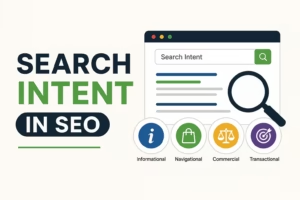
SEO Tip #2: Understand Search Intent — Match What Google Wants
Even a perfect keyword won’t rank if your content doesn’t match search intent.
Search intent is the reason behind a search. Google is very good at figuring out what users actually want, and it rewards pages that deliver exactly that.
The four types of search intent:
| Intent Type | What the User Wants | Example Keyword |
|---|---|---|
| Informational | To learn something | “what is SEO” |
| Navigational | To find a specific site | “WordPress login” |
| Commercial | To compare before buying | “best blogging platforms 2026” |
| Transactional | To buy or sign up | “buy Bluehost hosting” |
Practical tip: Before writing any post, Google your target keyword and look at the top 5 results. Are they blog posts, listicles, videos, or product pages? Match that format. If Google shows listicles, write a listicle.
SEO Tip #3: Optimize Your Blog Posts On-Page (The Technical Stuff Made Simple)
On-page SEO means optimizing the actual content and structure of your blog post. Here’s what matters most for new bloggers:
Title Tag (Your Blog Post Title)
- Include your primary keyword near the beginning
- Keep it under 60 characters
- Make it compelling — people need to want to click it
- Example: “SEO Tips for New Bloggers: 10 Proven Strategies That Work”
Meta Description
- This is the short summary that appears under your title in Google
- Include your keyword naturally
- Keep it under 155 characters
- End with a soft call to action like “Learn more” or “Start here”
URL Slug
- Keep it short, lowercase, and keyword-rich
- Remove filler words like “a,” “the,” “and”
- Good:
/seo-tips-new-bloggers - Bad:
/here-are-some-amazing-seo-tips-for-people-who-are-new-to-blogging
Headings (H1, H2, H3)
- Use only one H1 — your main title
- Use H2s for main sections, H3s for sub-points
- Include your keyword or related keywords in at least one H2
Keyword Placement
Add your primary keyword naturally in:
- The first 100 words of your post
- At least one H2 heading
- The meta description
- The URL
- The image alt text
- Once or twice in the body (don’t force it)
SEO Tip #4: Write High-Quality Content That Actually Helps People
Here’s something Google has been very clear about: content quality matters more than tricks.
Google’s algorithm rewards content that is:
- Helpful — does it solve the reader’s problem?
- Original — is it written from your own knowledge or experience?
- Complete — does it cover the topic better than competing pages?
- Easy to read — is it organized and clear?
How to Write SEO-Friendly Content
- Use short paragraphs. 2–4 lines maximum. Big walls of text lose readers fast.
- Use bullet points and numbered lists. They’re easier to scan and Google loves them for featured snippets.
- Add examples. Abstract advice is forgettable. Concrete examples stick.
- Write at a Grade 6–8 reading level. Use the Hemingway App (free tool) to check this.
- Answer questions directly. Featured snippets often pull direct answers from blog posts. Start your answer with a clear, concise sentence.
Example of a featured snippet-optimized answer:
“What is on-page SEO? On-page SEO is the process of optimizing individual blog posts and web pages to rank higher on Google. It includes optimizing titles, headings, keywords, meta descriptions, and content quality.”
See how that answers the question in 2–3 sentences? Google loves that.
SEO Tip #5: Build Internal Links Across Your Blog
Internal linking means linking one blog post to another post on your own blog. It’s one of the easiest and most overlooked SEO tips for new bloggers.
Why internal links matter:
- They help Google discover and index more of your content
- They keep readers on your site longer (which signals quality to Google)
- They pass “link authority” from stronger posts to newer ones
- They improve your blog’s overall structure
How to Add Internal Links
- When writing a new post, look for opportunities to mention related topics you’ve already covered
- Hyperlink relevant anchor text (the clickable words) to the related post
- Aim for 2–5 internal links per blog post
Example: If you’re writing about “how to start a blog,” you might link to your post about “best WordPress themes for beginners” or “how to choose a blog niche.”
SEO Tip #6: Optimize Your Images (Most Bloggers Skip This)
Images can actually bring you extra traffic through Google Image Search — but only if you optimize them.
Here’s how:
- Rename your image files before uploading. Use descriptive, keyword-rich names. Change
IMG_4892.jpgtoseo-tips-new-bloggers.jpg - Add alt text to every image. Alt text describes the image for Google and for visually impaired readers. Include your keyword naturally.
- Compress your images. Large images slow down your site, and page speed is a ranking factor. Use tools like TinyPNG or ShortPixel (free).
- Use the right format. WebP is the fastest format for web images. JPEG works well for photos. PNG for graphics with text.
SEO Tip #7: Focus on Page Speed and Mobile Optimization
Google ranks mobile-first. That means it looks at how your blog performs on a smartphone before it considers the desktop version.
If your blog loads slowly or looks broken on mobile, your rankings will suffer — no matter how good your content is.
Quick ways to speed up your blog:
- Use a lightweight, fast WordPress theme (like Astra or GeneratePress)
- Install a caching plugin (WP Rocket or W3 Total Cache)
- Compress and resize images before uploading
- Avoid too many plugins — each one slows your site down
- Use a fast web host (SiteGround, Cloudflare, or Kinsta)
Test your site speed for free at Google PageSpeed Insights (pagespeed.web.dev). Aim for a score above 80.
SEO Tip #8: Get Backlinks (Even as a Beginner)
Backlinks are links from other websites pointing to your blog. They’re one of Google’s strongest ranking signals because they act like votes of trust.
The more high-quality backlinks you have, the more authority your blog builds, and the higher you rank.
⚠️ Warning: Be careful of services selling “cheap backlinks.” These are almost always low-quality or spammy links that can actually hurt your rankings and get your blog penalized by Google. Avoid them completely.
Beginner-Friendly Ways to Get Real Backlinks
- Guest posting: Write a free article for another blog in your niche. They publish it with a link back to your site.
- Create link-worthy content: Original data, infographics, and ultimate guides naturally attract backlinks.
- Get listed in roundups: Many bloggers publish “best blogs in [niche]” roundup posts. Email them and ask to be included.
- Answer questions on forums: Quora and Reddit allow you to share your blog content when it genuinely helps answer a question.
- Broken link building: Find broken links on other blogs and offer your post as a replacement.
SEO Tip #9: Use a Free SEO Plugin (WordPress Users)
If your blog runs on WordPress, install Rank Math or Yoast SEO (both have solid free plans). These plugins make on-page SEO much easier by:
- Giving you a real-time SEO score as you write
- Reminding you to add keywords, meta descriptions, and alt text
- Generating a sitemap automatically (which helps Google crawl your site)
- Showing you readability scores
Think of these plugins as your SEO checklist running in the background.
SEO Tip #10: Be Patient and Track Your Progress
Here’s the most important truth about SEO that no one tells beginners: it takes time.
Most new blog posts take 3–6 months to start ranking on Google. Some take longer. This is completely normal.
SEO is not a quick win. It’s a long-term strategy that builds momentum over time. The bloggers who succeed are those who keep publishing, keep optimizing, and don’t give up after two weeks.
Track your results with free tools:
- Google Search Console — Shows which keywords you’re ranking for, how many clicks you’re getting, and which pages perform best. It’s free and essential.
- Google Analytics 4 — Tracks your traffic, audience behavior, and top-performing content.
Check these tools once a week. Look for trends, improve underperforming posts, and double down on what’s working.
Pros and Cons of Focusing on SEO as a New Blogger
Pros:
- Free, sustainable traffic that compounds over time
- Builds long-term authority in your niche
- Works while you sleep — old posts keep ranking
- Attracts targeted readers more likely to convert
Cons:
- Results take months to appear (patience required)
- Algorithm changes can affect rankings unexpectedly
- Competitive niches are harder to crack without domain authority
- Requires consistent effort and ongoing learning
Conclusion: Start Applying These SEO Tips for New Bloggers Today
SEO can feel overwhelming at first. But remember — you don’t need to do everything at once.
Start small. Pick one or two of these SEO tips for new bloggers and implement them on your next post. Then add more as you get comfortable.
The bloggers who win with SEO aren’t the ones with the most resources — they’re the ones who stay consistent and keep learning.
Do your keyword research. Write helpful content. Optimize your on-page elements. Build internal links. Be patient.
Google will reward you for it.
Frequently Asked Questions (FAQs)
Q1: How long does it take for SEO to work for a new blog?
Most new blogs start seeing noticeable results within 3–6 months of consistent publishing and optimization. Some competitive keywords can take up to 12 months to rank for.
Q2: Do I need to pay for SEO tools as a beginner?
No. Free tools like Google Search Console, Google Analytics, Ubersuggest (free plan), and Rank Math SEO plugin are more than enough to get started.
Q3: How many keywords should I use in a blog post?
Focus on one primary keyword and 3–5 related or semantic keywords. Avoid stuffing keywords unnaturally — write for humans first, search engines second.
Q4: Is SEO still worth it in 2026?
Absolutely. Organic search is still one of the highest-converting traffic sources available to bloggers and online businesses. AI tools are changing search, but high-quality, human-written SEO content still performs very well.
Q5: Can I do SEO without technical knowledge?
Yes. Basic on-page SEO — optimizing titles, keywords, headings, and content quality — requires no technical skills. Tools like Rank Math guide you through everything step by step.