Introduction: Why Selling Digital Products Online Is One of the Smartest Moves You Can Make
If you’ve been looking for a way to make money online, selling digital products is one of the best options available right now.
No inventory. No shipping. No complicated setup. Just create something once and sell it over and over again.
Whether you’re a student, blogger, freelancer, or someone who just wants a side income, selling digital products online can work for you. You don’t need a big budget or years of experience to get started.
In this guide, you’ll learn exactly what digital products are, how to create them, where to sell them, and how to actually make sales. Let’s get into it.
Find similar topics in Digital Products category.
What Are Digital Products? (And Why They’re Perfect for Beginners)
A digital product is any item that exists in digital form. You deliver it electronically — no physical packaging required.
Here are some popular examples:
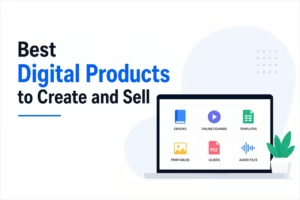
- eBooks and guides — a PDF guide on budgeting, fitness, or cooking
- Templates — resume templates, Instagram post templates, spreadsheet dashboards
- Online courses — video lessons teaching a skill like graphic design or coding
- Printables — planners, habit trackers, coloring pages
- Stock photos or videos — images and footage for creators
- Music and audio files — beats, sound effects, meditation audio
- Software and apps — tools, plugins, or browser extensions
- Presets and filters — Lightroom presets, Photoshop actions
- Digital art — illustrations, wallpapers, clipart packs
The best part? You create the product once and sell it hundreds of times. That’s what makes digital products so powerful for building passive income.
Why Selling Digital Products Online Is Worth It
Before jumping into the how, let’s be clear about why this model is so attractive.
Pros:
- High profit margins — no manufacturing or shipping costs
- Passive income potential — earn while you sleep
- Scalable — sell to 1 person or 10,000 people with the same effort
- Low startup cost — many creators start with free tools
- Global reach — your customer can be anywhere in the world
- Fast delivery — buyers get their product instantly
Cons:
- Upfront time investment — creating quality products takes effort
- Competition — some niches are crowded
- Piracy risk — digital files can be shared illegally
- Income isn’t guaranteed — you need marketing to make sales
⚠️ Warning: Don’t believe anyone who promises you’ll make thousands of dollars overnight with digital products. Building a sustainable income takes time, consistency, and learning. It’s real — but it’s not instant.
Step 1: Choose the Right Digital Product to Sell
The most common beginner mistake is picking a product they think is cool rather than one people actually want to buy.
Start by asking these questions:
- What do I know that others want to learn?
- What problems can I solve?
- What have people already asked me for help with?
- What skills do I use at work or as a hobby?
Example: If you’re good at organizing finances, you could create a budget planner in Excel or Google Sheets and sell it as a digital download.
Popular digital product niches with strong demand:
- Personal finance and budgeting
- Health, fitness, and wellness
- Business and entrepreneurship
- Parenting and family
- Career development and job hunting
- Food, recipes, and meal planning
- Social media marketing
- Design and creativity
- Education and study resources
Pro Tip: Use Google Trends, Etsy search, and Pinterest to validate your idea before creating anything. If people are searching for it, there’s a market.
Step 2: Create Your Digital Product
Once you’ve chosen your product, it’s time to create it. The tools you need depend on the type of product.
For eBooks and PDFs:
- Canva (free) — drag-and-drop design
- Google Docs — write and export as PDF
- Microsoft Word — professional formatting
For spreadsheets and templates:
- Google Sheets or Excel — ideal for trackers and planners
- Notion — for digital planners and dashboards
For online courses:
- Loom — free screen and video recording
- Canva — slide-based course content
- Descript — video editing made simple
For printables:
- Canva — most popular tool for printables
- Adobe Illustrator — for professional-grade designs
For music or audio:
- GarageBand (Mac, free) — music production
- Audacity (free) — audio recording and editing
Key principle: Your product doesn’t need to be perfect. It needs to be useful. Focus on solving one specific problem clearly and completely.
Step 3: Pick the Best Platform to Sell Digital Products
This is where many beginners get stuck. There are so many platforms — which one should you choose?
Here’s a breakdown of the top options:
Etsy
Best for: printables, templates, digital art, planners
- Huge built-in audience of buyers
- Easy to set up a shop
- Charges a small listing fee ($0.20 per item) plus transaction fees
- Great for creative products
Gumroad
Best for: eBooks, courses, music, software, any digital file
- Free to start (takes a percentage of each sale)
- Very beginner-friendly
- Lets you offer free and paid products
- Good for building an email list from buyers
Teachable / Thinkific
Best for: online courses and coaching programs
- Built specifically for courses
- Handles video hosting, payments, and certificates
- Free plans available with limitations
- Great for structured educational content
Payhip
Best for: eBooks, templates, memberships
- Free plan with 5% transaction fee
- Simple storefront setup
- Supports EU VAT automatically
Your Own Website (WordPress + WooCommerce or Shopify)
Best for: long-term brand building, full control
- No transaction fees (except payment processor)
- Full customization
- Requires more setup and ongoing management
- Best option once you’re generating consistent income
Recommendation for beginners: Start with Gumroad or Etsy. They’re free to use, have existing traffic, and are fast to set up. Once you understand the basics, consider building your own store.
Step 4: Price Your Digital Products Correctly
Pricing is one of the trickiest parts of selling digital products online. Price too low and you undervalue your work. Price too high and you scare buyers away.
Common pricing ranges:
| Product Type | Typical Price Range |
|---|---|
| Printables | $2 – $15 |
| eBooks | $7 – $49 |
| Templates (single) | $5 – $30 |
| Template bundles | $25 – $99 |
| Mini online courses | $27 – $97 |
| Full online courses | $99 – $497+ |
| Presets (Lightroom) | $10 – $50 |
Pricing tips:
- Research competitors in your niche and price competitively
- Offer bundles to increase the average order value
- Use charm pricing ($9 instead of $10 feels cheaper)
- Don’t underprice just to get sales — it hurts your brand’s perceived value
- Consider offering a free version to build trust, then an upgraded paid version
Step 5: Write Product Listings That Actually Convert
Even if your product is amazing, a weak listing will kill your sales. Your product page needs to do the selling for you.
Every great product listing includes:
- A clear, benefit-driven title — say what the product does, not just what it is
- A compelling description — explain the problem it solves and who it’s for
- High-quality preview images — show what buyers are getting
- A list of what’s included — be specific about file types, page count, etc.
- Customer reviews — social proof builds trust fast
- A clear call to action — tell people to buy now
Example of a weak title: “Budget Planner PDF”
Example of a strong title: “Monthly Budget Planner Printable — Simple Finance Tracker for Beginners (Instant Download)”
See the difference? The strong title includes keywords, a benefit, and a trust signal.
Step 6: Market Your Digital Products to Drive Traffic and Sales
Creating the product is only half the work. You need people to find it.
Here are the most effective marketing channels for digital product sellers:
Pinterest is a search engine, not just a social platform. People use it to find ideas and products. Create eye-catching pins that link directly to your product listing. This is one of the best free traffic sources for digital products.
Instagram and TikTok
Short-form video content works incredibly well for showcasing digital products. Show a before-and-after, do a “what’s inside” walkthrough, or share a tutorial using your product.
Email Marketing
Build an email list from day one. Offer a free resource (a freebie) in exchange for someone’s email address. Then nurture that list with value and occasional promotions.
- Use Mailchimp (free up to 500 subscribers) or Kit
- Send a welcome email immediately after someone subscribes
- Aim to email your list at least once a week
SEO (Search Engine Optimization)
If you have a blog or website, write content that targets the same keywords your buyers search for. For example, if you sell a meal prep planner, write a blog post titled “How to Start Meal Prepping as a Beginner” and link to your product within it.
Facebook Groups
Join communities where your target audience hangs out. Don’t spam — instead, add value, answer questions, and mention your product when it’s genuinely relevant.
Collaborations
Partner with other creators in related niches. Cross-promote each other’s products to grow your audiences together.
Step 7: Automate Your Sales and Delivery
One of the biggest advantages of digital products is automation. Once set up correctly, your store can run on its own while you sleep.
Here’s what to automate:
- Payment processing — Stripe or PayPal handle this automatically on most platforms
- Product delivery — your platform sends the download link immediately after purchase
- Email sequences — set up a welcome email and follow-up series in your email tool
- Customer support FAQs — add a detailed FAQ to your product page to reduce repeat questions
This automation is what makes digital products a genuine passive income opportunity over time.
Common Mistakes Beginners Make When Selling Digital Products Online
Avoid these pitfalls to save yourself time and frustration:
- Creating a product nobody wants — always validate your idea first
- Ignoring SEO — your listings and content need to be optimized to be found
- Giving up too quickly — most sellers don’t see significant results until month 3 or 4
- Underpricing — it signals low quality and attracts buyers who don’t value your work
- Not building an email list — this is your biggest long-term asset
- Skipping the product description — buyers need clear, detailed information to feel confident buying
How Long Does It Take to Make Money Selling Digital Products?
This is the most common question beginners ask.
Honestly, it varies. Some sellers make their first sale within a week. Others take two to three months. The biggest factors are:
- The quality of your product
- How well you market it
- The size and engagement of your existing audience
- How competitive your niche is
A realistic expectation for a complete beginner: aim for your first sale within 30 to 60 days if you’re actively marketing. After that, focus on growing and diversifying your product range.
Conclusion: Start Selling Digital Products Online Today
Selling digital products online is one of the most accessible ways to build income from your skills and knowledge. Whether you want a small side hustle or a full-time business, the model works.
To recap what you need to do:
- Choose a product based on real demand
- Create it using free or affordable tools
- List it on a platform like Gumroad or Etsy
- Price it fairly and competitively
- Market it through Pinterest, social media, email, and SEO
- Automate delivery and follow-up
- Keep improving based on feedback
The key is to start. You don’t need everything to be perfect. Launch your first product, learn from real buyers, and improve as you go.
Your digital product business starts with one decision: choosing to begin.
Frequently Asked Questions (FAQs)
Q: Do I need a website to sell digital products online?
No. You can start selling immediately on platforms like Gumroad, Etsy, or Payhip without a website. A website becomes useful once you’re ready to scale.
Q: What is the easiest digital product to create for beginners?
Printables and PDF guides are the easiest to start with. You can create them using Canva for free in just a few hours.
Q: How do I protect my digital products from being stolen?
Use platforms that deliver files securely, add a copyright notice to your files, and consider watermarking preview images. You can’t prevent all piracy, but these steps reduce the risk.
Q: Can I sell digital products with no following or audience?
Yes. Platforms like Etsy and Gumroad have built-in search traffic. You don’t need a social media following to make your first sale, although having one helps.
Q: How much money can you make selling digital products?
Income varies widely. Some creators earn $100 per month as a side income. Others build six-figure businesses over time. It depends on your niche, product quality, and marketing consistency.
Q: Is selling digital products online worth it in 2026?
Absolutely. The global digital product market continues to grow. With more people buying online and consuming digital content, demand for quality digital products is higher than ever.