Introduction: Why Keyword Research Is the Foundation of SEO
If you’ve ever wondered why some blog posts get thousands of visitors while others get zero, the answer is almost always keyword research.
Keyword research is the process of finding the exact words and phrases people type into Google. When you know what your audience is searching for, you can create content that shows up right in front of them.
Whether you’re a blogger, a freelancer trying to get clients, a student building a portfolio, or an entrepreneur launching an online business, learning how to do keyword research is one of the most valuable skills you can develop.
And the best part? You don’t need expensive tools or a marketing degree to get started.
I will walk you through everything — from understanding what keywords are to using free tools to finding profitable, low-competition keywords that can actually rank on Google.
Let’s dive in.
Find similar posts in SEO category.
What Is Keyword Research and Why Does It Matter?
Keyword research is the practice of identifying the specific words and phrases your target audience uses when searching on Google, Bing, YouTube, or any other search engine.
Think of it this way. If you write a blog post about “healthy eating tips” but your audience is searching for “easy meal prep ideas for weight loss,” your content won’t reach the right people.
Keyword research closes that gap. It helps you:
- Understand exactly what your audience wants
- Create content that matches their needs
- Rank higher in search engine results
- Drive free, organic traffic to your website or blog
- Increase your chances of earning money through ads, affiliate links, or services
Without keyword research, you’re essentially writing in the dark and hoping someone finds you. With it, you’re speaking directly to people who are already looking for what you offer.
Understanding the Types of Keywords
Before you start researching, you need to understand the different types of keywords. Each type serves a different purpose in your content strategy.
1. Short-Tail Keywords
These are broad, general keywords that are usually one to two words long.
Examples:
- “Keyword research”
- “Make money online”
- “SEO tips”
The problem with short-tail keywords: They have extremely high search volume but also massive competition. As a beginner, ranking for “SEO tips” is nearly impossible when you’re competing with giant websites like Moz, Ahrefs, and HubSpot.
2. Long-Tail Keywords
These are more specific phrases, usually three to five words or longer.
Examples:
- “How to do keyword research for beginners”
- “Free keyword research tools for bloggers”
- “How to find low competition keywords in 2025”
Why long-tail keywords are gold for beginners:
- Lower competition — smaller sites can rank more easily
- Higher conversion rates — people searching specific phrases know what they want
- Easier to match search intent
- Often overlooked by big websites
If you’re just starting out, focus almost entirely on long-tail keywords.
3. LSI Keywords (Semantic Keywords)
LSI stands for Latent Semantic Indexing. These are words and phrases related to your main keyword. Google uses them to understand the full context of your content.
For example, if your main keyword is “keyword research,” related LSI keywords might include:
- Search volume
- Search intent
- Keyword difficulty
- Organic traffic
- SERP analysis
- Keyword planner
You don’t need to force these in. They naturally appear when you write thoroughly about a topic.
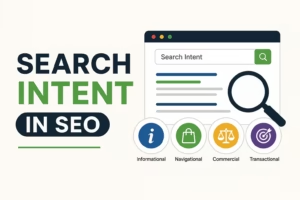
4. Informational, Navigational, and Transactional Keywords
This is about search intent — the reason behind a search.
- Informational: “What is keyword research?” (user wants to learn)
- Navigational: “Ahrefs keyword tool” (user wants a specific site)
- Transactional: “Buy keyword research tool” (user wants to purchase)
Matching your content to the right intent is critical. Google rewards pages that actually answer what users are looking for.
How to Do Keyword Research: Step-by-Step Process
Now let’s get into the actual process. Follow these steps and you’ll have a strong keyword strategy within a few hours.
Step 1: Start With a Seed Keyword
A seed keyword is a broad topic related to your niche. It’s your starting point — not necessarily what you’ll target, but what you’ll use to generate better ideas.
How to brainstorm seed keywords:
- Think about your blog’s topic or niche
- Write down what problems your audience is trying to solve
- Think about what you’d type into Google if you had the same problem
Example: If you run a personal finance blog, your seed keywords might be:
- Save money
- Budget tips
- Side hustles
- Passive income
- Frugal living
From these seeds, you’ll branch out into hundreds of specific keyword ideas.
Step 2: Use Free Keyword Research Tools
You don’t need to spend money on tools when you’re starting out. Here are the best free options:
1. Google Keyword Planner
Google’s own tool. It shows monthly search volume, competition level, and related keyword ideas. You need a free Google Ads account to access it, but you don’t have to run ads.
2. Ubersuggest (Free Version)
Created by Neil Patel. It gives you keyword ideas, search volume, SEO difficulty scores, and content suggestions. The free version has daily limits but is perfect for beginners.
3. AnswerThePublic
This tool visualizes what questions people ask around a topic. It’s ideal for finding “People Also Ask” style questions and building FAQ sections.
4. Google Search Itself
Never underestimate Google’s autocomplete and “People Also Ask” features. Start typing your seed keyword and see what suggestions appear. Scroll to the bottom of the results page and check “Related Searches.” These are real phrases people are typing.
5. Google Search Console
If you already have a website, this tool shows you which keywords people are already using to find your site. It’s completely free and packed with valuable data.
6. Keywords Everywhere (Browser Extension)
A free browser extension that shows search volume data directly on your Google search results page as you browse.
Step 3: Analyze Keyword Metrics
Once you have a list of keyword ideas, you need to evaluate each one. Here are the key metrics to look at:
Search Volume
This tells you how many times a keyword is searched per month. Higher volume means more potential traffic. However, high volume also usually means high competition.
A good sweet spot for beginners: 500 to 5,000 monthly searches.
Keyword Difficulty (KD)
This score tells you how hard it is to rank for a keyword. It’s typically shown as a number from 0 to 100.
- 0–30: Easy — great for new websites
- 31–60: Medium — competitive but possible with good content
- 61–100: Hard — usually dominated by authority websites
As a beginner, target keywords with a difficulty score below 30.
Cost Per Click (CPC)
CPC tells you how much advertisers pay per click on Google Ads for that keyword. A high CPC signals commercial intent — people searching this keyword are ready to spend money. This is useful if you’re monetizing through ads or affiliate marketing.
Search Intent
Always ask: “What does someone actually want when they search this keyword?” Make sure your content answers that question completely.
Step 4: Look at the Competition (SERP Analysis)
SERP stands for Search Engine Results Page. Before targeting any keyword, Google it yourself and look at what comes up.
Ask yourself:
- Are the top results from huge authority websites like Forbes, Wikipedia, or big brands?
- Are the results mostly blog posts, or are they product pages and homepages?
- Are there featured snippets at the top?
- Can you write something better or more comprehensive than what’s already ranking?
If the first page is full of massive authority sites, that keyword might be too competitive. Look for keywords where smaller blogs or newer websites are ranking — that signals the topic is winnable for you.
Step 5: Find Low-Competition, High-Value Keywords
This is the secret most beginners miss. Instead of chasing the most popular keywords, find the hidden gems.
Strategies to find low-competition keywords:
- Add qualifiers like “best,” “for beginners,” “how to,” “cheap,” “free,” or “without” to your seed keyword
- Target location-specific keywords if you serve a local audience (e.g., “keyword research for small businesses in India”)
- Look for emerging trends using Google Trends before they become too competitive
- Search for questions using AnswerThePublic and target keywords phrased as questions
- Check your competitors’ blogs using free tools like Ubersuggest — find what they rank for and find similar but less competitive variations
Step 6: Group Your Keywords by Topic (Keyword Clustering)
Don’t write one article per keyword. Instead, group related keywords into clusters and target them with a single, comprehensive piece of content.
Example cluster for this article:
- How to do keyword research (primary)
- Keyword research for beginners (secondary)
- Best free keyword research tools (supporting)
- How to find low competition keywords (supporting)
- What is search intent in SEO (supporting)
One well-structured article can rank for dozens of related keywords at once. This is how you multiply your traffic without multiplying your workload.
Common Keyword Research Mistakes to Avoid
Even with a great strategy, beginners often make these errors. Avoid them and you’ll be ahead of most people starting out.
Mistake 1: Targeting keywords that are too competitive
Ranking for “make money online” is not realistic for a new blog. Go specific. Go long-tail.
Mistake 2: Ignoring search intent
Writing an information-heavy article for a keyword where people want to buy something (or vice versa) will hurt your rankings and conversions.
Mistake 3: Keyword stuffing
Cramming your keyword into every sentence makes your content unreadable and can get your site penalized by Google. Aim for a natural keyword density of around 1–2%.
Mistake 4: Only targeting high-volume keywords
A keyword with 500 monthly searches and low competition will get you more traffic than a keyword with 50,000 monthly searches that you’ll never rank for.
Mistake 5: Skipping keyword research altogether
Some bloggers just write what they feel like writing. That’s great for a personal diary — not for a business blog. Research first, write second.
How Keyword Research Helps You Make Money Online
Here’s something most beginner guides skip: keyword research isn’t just about traffic. It’s directly tied to your ability to earn money online.
Affiliate Marketing: Target keywords with buying intent, like “best [product] for beginners” or “[product] review.” When people click your affiliate links and buy, you earn a commission.
Ad Revenue: High-traffic informational keywords bring more page views, which means more ad impressions if you use Google AdSense or Mediavine.
Freelancing: Ranking your portfolio or service page for keywords like “freelance content writer for hire” or “affordable SEO services” brings clients directly to you.
Digital Products: Target keywords related to problems your product solves. If you sell an ebook on budgeting, target “how to save money on a low income” to reach ready buyers.
Online Courses: Rank educational content with keywords like “how to learn [skill]” and funnel readers into your paid course.
Keyword research is the bridge between your content and your income.
Quick-Start Keyword Research Checklist
Use this checklist every time you research keywords for a new article:
- Identify your topic and brainstorm 5–10 seed keywords
- Use at least two free tools to generate keyword ideas
- Check search volume (aim for 500–5,000/month as a beginner)
- Check keyword difficulty (aim for under 30)
- Google the keyword and analyze the top 10 results
- Confirm search intent matches your content plan
- Identify secondary and LSI keywords to include naturally
- Group related keywords into a single content cluster
- Write comprehensive content that fully satisfies the search intent
Conclusion: Your Keyword Research Journey Starts Now
Learning how to do keyword research is one of the best investments you can make in your online success. It’s the difference between content that sits unread and content that consistently brings in traffic, leads, and income.
Start simple. Pick one seed keyword. Run it through Google’s autocomplete and a free tool like Ubersuggest. Look for long-tail, low-competition variations. Check the search intent. Then write something genuinely helpful.
You don’t need to be a marketing expert to see results. You just need to be strategic, consistent, and focused on serving your audience.
The tools are free. The knowledge is now in your hands. The only thing left to do is start.
Frequently Asked Questions (FAQs)
Q1: What is keyword research in simple terms?
Keyword research is the process of finding the exact words and phrases people type into search engines. It helps you create content that shows up when your target audience is looking for information, products, or services related to your niche.
Q2: How do I do keyword research for free?
You can use free tools like Google Keyword Planner, Ubersuggest (free version), AnswerThePublic, Google Trends, and Google Search Console. Even Google’s autocomplete feature and the “People Also Ask” section give you valuable keyword ideas at no cost.
Q3: How long does keyword research take?
For a single blog post, basic keyword research can take 30 to 60 minutes. As you get more experienced, you’ll develop a faster workflow. Deeper research for a full content strategy may take a few hours.
Q4: What is a good keyword difficulty score for beginners?
As a beginner, aim for keywords with a difficulty score of 0 to 30. These are low-competition keywords where newer websites have a realistic chance of ranking on Google’s first page.
Q5: How many keywords should I target per article?
Focus on one primary keyword per article. Then naturally include 3 to 7 related secondary keywords and LSI keywords throughout your content. This allows a single article to rank for multiple search terms at once.
Q6: Is keyword research still important in 2025?
Absolutely. While Google’s algorithm has become more sophisticated, keyword research remains essential. It helps you understand your audience’s intent and create content that directly meets their needs — which is exactly what Google rewards.
Q7: What’s the difference between a keyword and a search query?
A keyword is the term you deliberately target in your content strategy. A search query is what an actual user types into a search engine. They often overlap, but search queries can be more conversational or specific. Understanding both helps you write more natural, intent-matching content.
Q8: Can I rank without doing keyword research?
You might rank occasionally by luck, but it’s not a sustainable strategy. Keyword research removes the guesswork, helps you understand what your audience actually wants, and dramatically improves your chances of getting consistent organic traffic from search engines.
Ready to take the next step? Start with one free keyword tool today, find three low-competition long-tail keywords in your niche, and commit to writing one well-optimized article. That’s all it takes to begin.