Introduction: Why Meta Descriptions Matter More Than You Think
You just published a great blog post. It took you hours to write. But nobody is clicking on it in Google search results.
Sound familiar?
Here’s one reason that might be happening: your meta description is either missing, boring, or not written for real people.
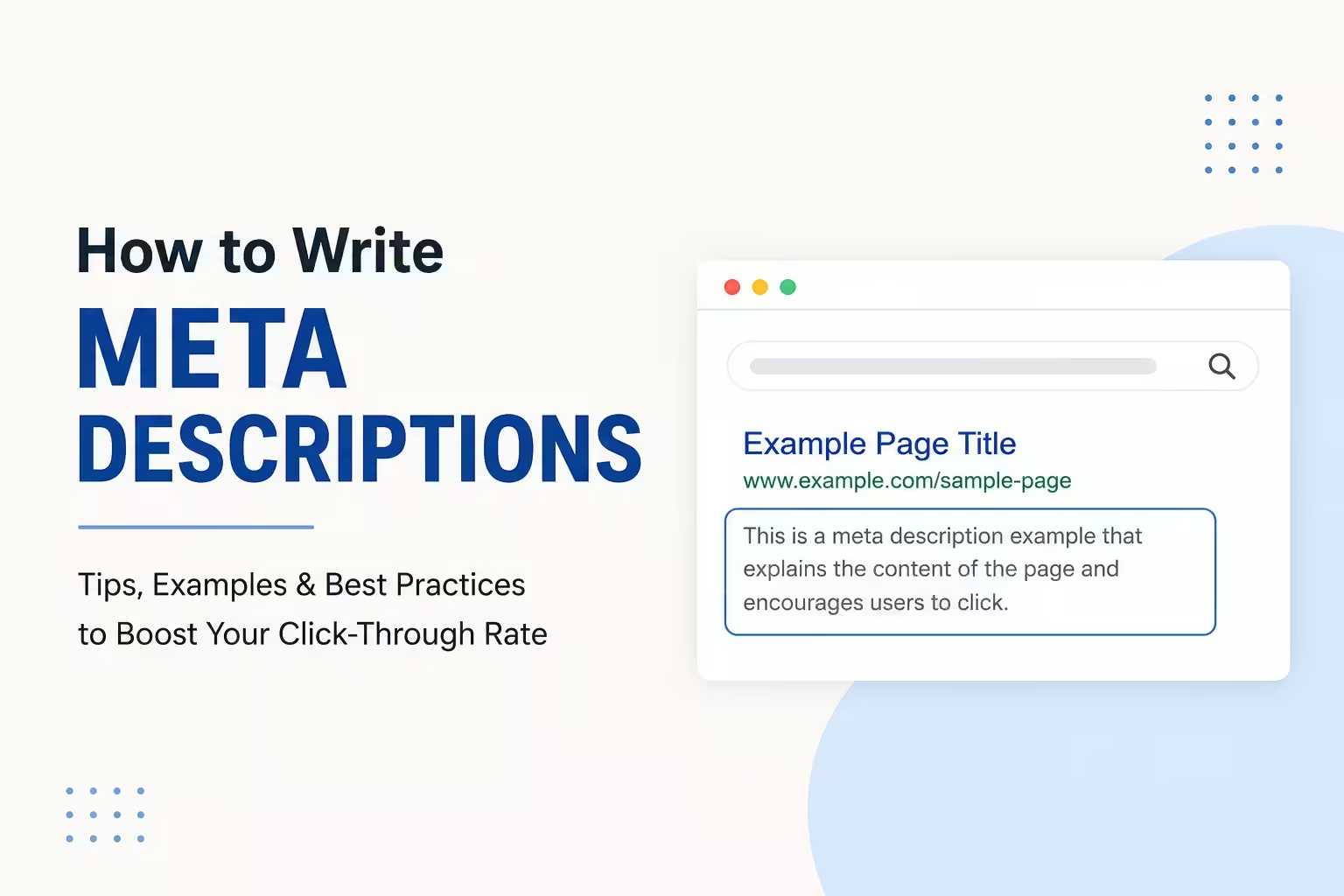
A meta description is the short paragraph that appears below your page title in Google search results. It’s usually 150–160 characters long, and it acts like a mini advertisement for your content.
Learning how to write meta descriptions correctly can be the difference between someone clicking your link — or scrolling right past it.
In this beginner-friendly guide, you’ll learn exactly what meta descriptions are, why they matter for SEO and engagement, and how to write them step by step with real examples.
Let’s get started.
What Is a Meta Description? (Simple Definition)
A meta description is a short HTML tag that summarizes what your web page is about.
When someone searches on Google, they see three things:
- A clickable blue title (the SEO title tag)
- A green URL (the web address)
- A short description beneath it (the meta description)
That short description? That’s your meta description.
Example:
If someone searches “how to make money online,” they might see this:
“Want to make money online? Discover 15 beginner-friendly methods that actually work — no experience needed. Start earning today.”
That two-line snippet is the meta description. It tells the reader what they’ll get if they click.
While Google says meta descriptions are not a direct ranking factor, they heavily influence your click-through rate (CTR) — which does affect your rankings over time.
More clicks = more traffic = better SEO performance.
Why Writing Good Meta Descriptions Is an SEO Skill Worth Learning
Before we dive into the how-to, let’s understand the “why.”
Here’s what a well-written meta description can do for you:
- Increase clicks from search results without changing your ranking
- Attract the right audience who is genuinely interested in your content
- Reduce bounce rate because visitors know what to expect before clicking
- Improve conversion rates on landing pages and product pages
- Help Google understand your page content better
For bloggers, freelancers, and entrepreneurs, this is a free way to drive more organic traffic. You don’t need to pay for ads. You just need to write better copy.
And here’s the thing — most beginners skip this entirely. That means if you get it right, you already have an edge.
How Long Should a Meta Description Be?
This is one of the most common questions beginners ask. And the answer is simple.
Keep your meta description between 150–160 characters.
Google typically shows around 155–160 characters on desktop and slightly fewer on mobile. If your description is too long, Google will cut it off with “…” which looks unprofessional and loses the reader.
Too short: Under 70 characters. You’re wasting valuable space.
Too long: Over 165 characters. Google will truncate it, and your message gets cut off.
Just right: 150–160 characters. You have enough room to be compelling and complete.
Quick tip: Use a free tool like the Yoast SEO plugin (for WordPress), Rank Math, or the SERPsim.com simulator to count your characters and preview how your meta description looks in Google.
The 7 Rules for Writing Meta Descriptions That Get Clicks
Here’s a practical, step-by-step breakdown of what makes a great meta description. Follow these rules every time.
Rule 1: Include Your Primary Keyword Naturally
Google often bolds keywords in the meta description that match what someone searched for. This makes your result stand out visually.
For example, if someone searches “how to write meta descriptions,” Google might bold those words in your snippet — grabbing the reader’s eye immediately.
Do this: Place your primary keyword naturally within the first 80–100 characters of your meta description.
Example:
“Learn how to write meta descriptions that get more clicks. Beginner-friendly tips, real examples, and SEO best practices included.”
Notice how “how to write meta descriptions” appears early and feels natural — not forced.
Rule 2: Write for the Reader First, Not for Google
This is a mistake many beginners make. They stuff keywords in and forget that a real human has to read this.
Your meta description needs to answer one question the reader is silently asking: “What’s in it for me if I click?”
Make the benefit clear and immediate.
Weak example:
“Meta descriptions SEO tips blog writing keywords.”
Strong example:
“Want more clicks from Google? Learn how to write meta descriptions in under 10 minutes with real examples and beginner tips.”
See the difference? The second one speaks directly to a person, not a search engine.
Rule 3: Use an Active Voice and Action Words
Passive, weak language kills click-through rates.
Use power verbs and action words that make readers feel like something useful is about to happen.
Strong action words to use:
- Learn
- Discover
- Start
- Boost
- Get
- Find out
- Try
- See how
Example:
“Discover how to write meta descriptions that rank better and drive more traffic — even if you’re a complete beginner.”
The word “Discover” creates curiosity. It pulls people in.
Rule 4: Add a Call to Action (CTA)
A call to action tells the reader what to do next. It creates a sense of direction and urgency.
Simple CTAs that work:
- “Read the full guide.”
- “Start today.”
- “Find out now.”
- “Get the tips here.”
- “Learn more.”
Example:
“Not sure how to write meta descriptions? This simple guide walks you through every step. Start improving your SEO today.”
The CTA “Start improving your SEO today” gives the reader a reason to act now instead of scrolling past.
Rule 5: Make It Unique for Every Page
Here’s a warning: never copy and paste the same meta description across multiple pages.
Google can see duplicate meta descriptions, and it sends a negative signal. More importantly, it confuses readers when two different pages seem to say the same thing.
Every page — every blog post, product page, landing page — should have its own unique meta description that reflects the specific content on that page.
If you have 50 blog posts, you need 50 unique meta descriptions. Yes, it takes time. But it’s worth it.
Rule 6: Match the Search Intent
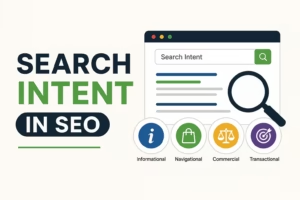
Search intent means what the user actually wants when they type a search query.
There are four main types:
- Informational – They want to learn something (“how to write meta descriptions”)
- Navigational – They want to find a specific website (“Yoast SEO plugin”)
- Transactional – They want to buy something (“buy SEO course”)
- Commercial – They’re comparing options (“best SEO tools 2025”)
Your meta description should match the intent of the keyword you’re targeting.
If someone wants to learn, don’t write a sales pitch. If they want to buy, don’t write an essay.
Example for informational intent:
“Learn how to write meta descriptions step by step. Includes beginner tips, character limits, real examples, and common mistakes to avoid.”
Rule 7: Avoid Clickbait and False Promises
This one is important. Do not promise something your page doesn’t deliver.
If your meta description says “Make $10,000 in your first month,” but your article is about basic freelancing tips, readers will leave immediately after clicking. That increases your bounce rate and hurts your SEO.
Be honest. Be specific. Be accurate.
Red flag phrases to avoid:
- “This one trick will change everything”
- “Secret method nobody talks about”
- “Guaranteed results overnight”
These phrases hurt your credibility and attract the wrong audience.
How to Write Meta Descriptions for Different Types of Pages
Different pages have different goals. Here’s how to approach each one.
Blog Posts
Focus on what the reader will learn and why it matters.
“Wondering how to write meta descriptions? This beginner-friendly guide explains everything — from character limits to click-worthy examples.”
Product Pages (E-commerce)
Focus on the benefit, price if relevant, and urgency.
“Shop our lightweight running shoes with extra arch support. Free shipping on orders over $50. Comfort meets performance — try them today.”
Landing Pages / Opt-In Pages
Focus on the offer and what the reader gets.
“Get our free beginner’s guide to SEO — no experience needed. Sign up in 30 seconds and start ranking on Google this week.”
Homepage
Focus on who you are and what makes you different.
“Digital marketing tips for beginners, bloggers, and entrepreneurs. Learn SEO, content writing, and how to grow your online business — for free.”
Common Meta Description Mistakes to Avoid
Even experienced writers make these mistakes. Watch out for them.
- Leaving it blank — Google will auto-generate one from your content, and it’s usually not great
- Making it too long — Anything over 160 characters gets cut off
- Keyword stuffing — Writing “best SEO tips SEO blog SEO writing” looks spammy
- Being too vague — “This post is about SEO” tells the reader nothing useful
- Not including a benefit — Always answer “what’s in it for me?”
- Using the same description twice — Every page must be unique
- Forgetting mobile readers — Google shows fewer characters on mobile, so lead with the most important info
Free Tools to Help You Write Better Meta Descriptions
You don’t need to do this alone. These free tools make the process easier:
- Yoast SEO (WordPress plugin) – Shows a live preview of how your title and meta description appear in Google. Color-coded feedback makes it beginner-friendly.
- Rank Math (WordPress plugin) – Similar to Yoast, with a built-in character counter.
- SERPsim.com – Paste your title and description to preview exactly how they appear in search results.
- Google Search Console – Shows your current CTR for each page so you can test and improve.
- Hemingway App – Check readability to make sure your description is clear and simple.
Meta Description Examples (Good vs. Bad)
Let’s break down some real comparisons so you can see what works.
Topic: How to Start a Blog
❌ Bad:
“Blog tips SEO blog writing start a blog today blogging for beginners best blog tips 2024.”
Why it’s bad: Reads like keyword spam. No benefit. No CTA. Confusing.
✅ Good:
“Ready to start a blog? This step-by-step guide shows beginners exactly how to launch, grow, and monetize a blog from scratch.”
Why it works: Clear benefit, beginner-friendly, strong CTA implied, natural keyword use.
Topic: Freelance Writing Jobs
❌ Bad:
“Find freelance writing jobs here. Many jobs available. Apply today for writing opportunities.”
Why it’s bad: Vague, generic, and doesn’t tell the reader anything specific.
✅ Good:
“Looking for freelance writing jobs with no experience? Discover 10 beginner-friendly platforms where you can start earning this week.”
Why it works: Addresses the reader’s specific situation (no experience), gives a concrete number (10 platforms), and creates urgency (this week).
Common Questions About Meta Descriptions
Does Google always use my meta description?
No. Google sometimes rewrites your meta description if it thinks another snippet from your page better matches the search query. This is why writing great page content is also important. But having a well-written meta description gives you the best chance of Google using yours.
Can I use the same meta description twice?
No. Duplicate meta descriptions are flagged by Google and can negatively affect how your pages are crawled and understood. Always write a unique description for every page.
Do meta descriptions directly affect rankings?
Not directly. Google has confirmed that meta descriptions are not a ranking signal. However, they affect your click-through rate, and a higher CTR can indirectly boost your rankings over time by signaling to Google that your page is relevant and helpful.
How many keywords should I include in a meta description?
Focus on one primary keyword and one or two naturally related terms. Don’t force extra keywords in. Readability matters more than keyword density in this small space.
What happens if I leave my meta description blank?
Google will auto-generate a snippet by pulling text from your page. This often results in awkward, incomplete, or irrelevant descriptions. Always write your own to maintain control over how your content appears in search results.
Q: What is the ideal meta description length in 2025?
A: The ideal length is between 150–160 characters. Google typically displays up to 155–160 characters on desktop and slightly fewer on mobile devices.
Q: Should my meta description be different from my introduction?
A: Yes. Your meta description is a teaser designed to get the click. Your introduction is the beginning of the actual content. They serve different purposes and should be written separately.
Q: Can I use emojis in meta descriptions?
A: Sometimes. Emojis can appear in search results and may help your listing stand out. However, use them sparingly and only when they are relevant. Not all emojis render correctly across all devices.
Q: How often should I update my meta descriptions?
A: Review them at least once or twice a year, or whenever you update the page content. You should also revisit them if your CTR drops or if you’re targeting new keywords.
Q: Is a meta description the same as a meta tag?
A: Not exactly. A meta description is one type of meta tag. Other meta tags include the title tag, robots meta tag, and viewport meta tag. The meta description is the one visible to users in search results.
Q: Do meta descriptions matter for social media sharing?
A: Yes. When you share a link on Facebook or LinkedIn, the meta description is often used as the preview text. So writing a good one benefits both SEO and social media engagement.
Conclusion: Start Writing Better Meta Descriptions Today
Learning how to write meta descriptions is one of the simplest, most high-impact SEO skills you can develop — especially if you’re a beginner, blogger, freelancer, or entrepreneur building an online presence.
To recap what you’ve learned:
- Keep your meta description between 150–160 characters
- Include your primary keyword naturally and early
- Write for real people, not just search engines
- Use action words and a clear call to action
- Match the search intent of your target keyword
- Make every meta description unique
- Avoid clickbait, vague language, and keyword stuffing
You don’t need to be an SEO expert to write a great meta description. You just need to think like your reader, be honest about what your page offers, and make clicking feel like an obvious choice.
Start by going back to your five most important pages or blog posts right now. Rewrite or update the meta descriptions using the rules in this guide. Then use Google Search Console to track your CTR over the next few weeks.
Small changes to your meta descriptions can lead to big improvements in your traffic — without writing a single new piece of content.
That’s the power of getting the basics right.
Recommended posts:
- What Is E-E-A-T in SEO? The Complete Beginner’s Guide (2026)
- Passive Income Ideas Through Blogging: The Beginner’s Complete Guide (2026)
- Best Blog Monetization Methods for Beginners: How to Make Money Blogging in 2026
- Evergreen Content and SEO: The Beginner’s Guide to Traffic That Never Stops
- AI Tools for Beginners: The Ultimate Guide to Getting Started in 2026